✦ BUILT-IN AI
Built-in AI
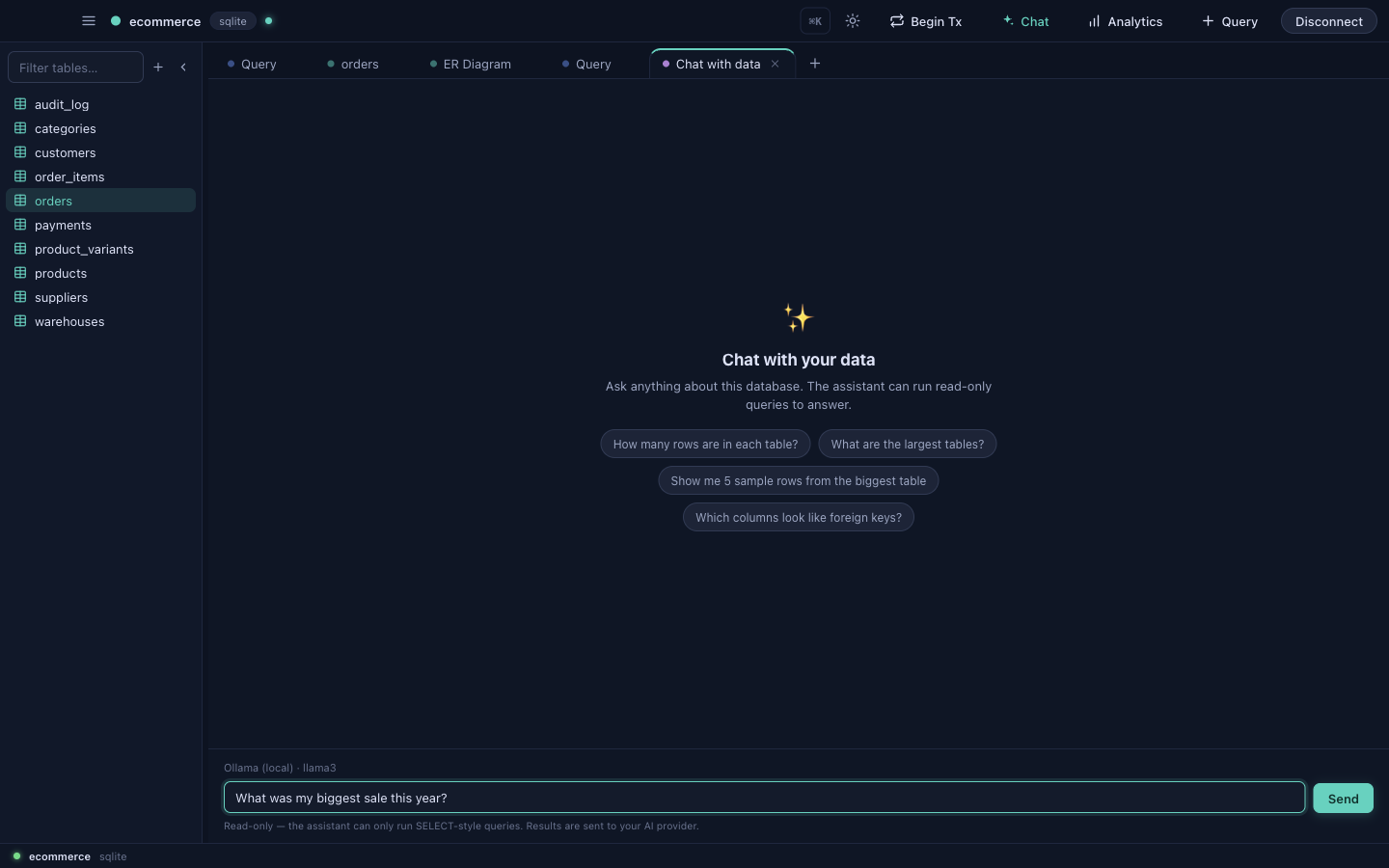
DataDock's assistant lets you work in plain English. Ask a question and it writes read-only SQL, runs it against your live database, and answers from the real results — always showing exactly which queries it ran so you can verify them.
Choose a provider
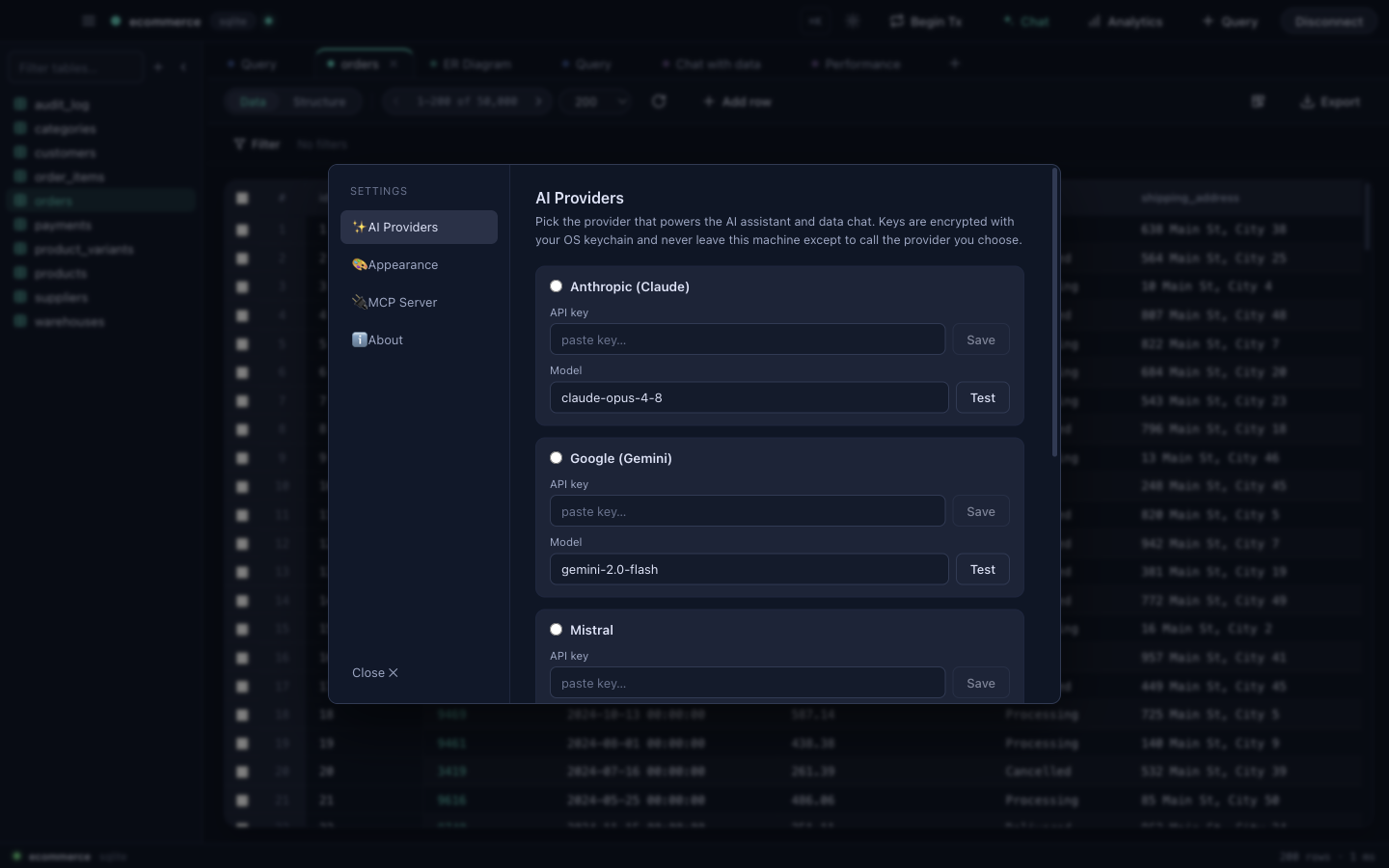
Open Settings → AI Providers and pick a model. Keys are encrypted with your OS keychain and never leave your machine except to call the provider you choose.
| Provider | Notes |
|---|---|
| Claude (Anthropic) | Strong general SQL reasoning. Paste an API key. |
| Gemini (Google) | Paste an API key. |
| Mistral | Paste an API key. |
| Grok (xAI) | Paste an API key. |
| Ollama | Runs locally — no API key, nothing leaves your machine. |
What the AI can do
- Natural language → SQL — describe what you want; get a runnable query.
- Explain — paste a query and get a plain-English breakdown.
- Fix with AI — when a query errors, let the AI diagnose and rewrite it.
- Chat with your data — ask questions and get answers grounded in the actual rows, with the queries shown.
- Schema-aware autocomplete — suggestions informed by your tables and columns.
- Build dashboards — ask for "a sales overview dashboard" and the AI assembles and edits it (see Analytics).
🔒
Privacy: chat-with-your-data runs read-only queries. Only the schema and the queries needed to answer go to your chosen provider — and with Ollama the model runs entirely on your own hardware.